RadImages Dental
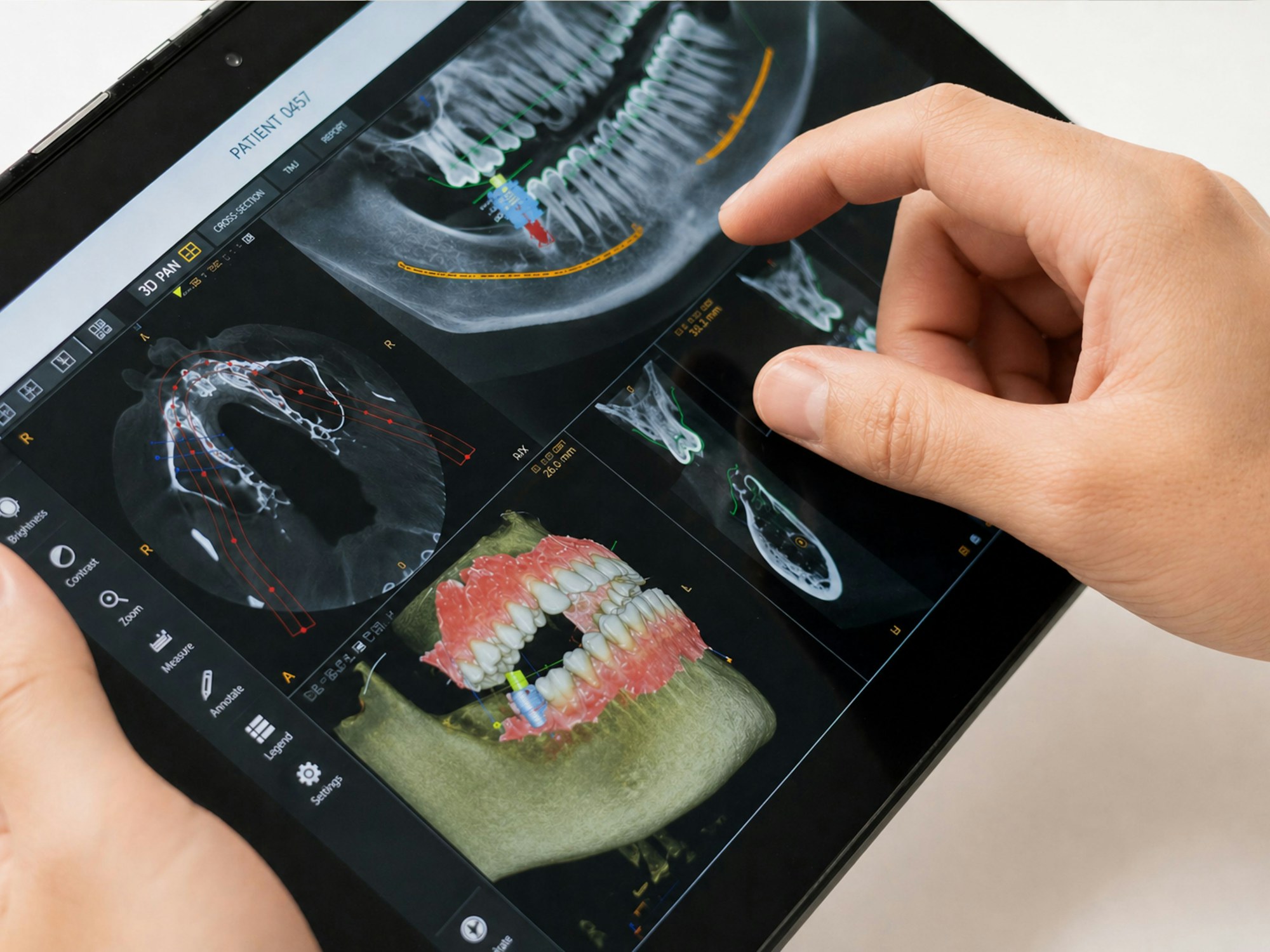
A dedicated workstation for CBCT studies: 3D segmentation, curved multi-planar reformats along the jaw arch, automated nerve canal detection and an implant-planning workflow in a single interface.
Runs directly in the browser — for dental clinics, radiology offices and networks.
Core tools
Everything a dental radiologist and implantologist needs.
Implant mode
Implant library by manufacturer, danger zones and automatic collision checks.
Curved MPR
Panoramic and cross-sectional reformats along the jaw arch.
3D segmentation
Teeth, bone, nerve canal and sinuses as separate 3D objects.
Nerve canal detection
Automated tracing of the mandibular canal with safety margins.
Workstation capabilities
Built for daily clinical use in the browser.
Browser-based CBCT viewing
Open CBCT volumes from any computer in the clinic without installation.
Measurements and annotations
Bone height and width, densities, angles and notes stored with the study.
Treatment-plan composer
Assemble views, measurements and implant positions into a plan for the patient and the surgeon.
Safety zones
Visual warnings around the nerve canal, sinuses and adjacent roots.
Collaboration
Share a case by secure link with a surgeon or the referring dentist.
PACS integration
Studies are stored in and retrieved from RadImages PACS or a third-party archive.
Who is RadImages Dental for?
Dental clinics, maxillofacial radiology offices and dental networks that want CBCT reading and implant planning without workstation software.
Professional dental tools in a single window
From CBCT viewing to the implant plan — in the browser, integrated with your archive.
RadImages products are software intended for use by medical professionals. All images, diagrams and illustrations on this website are provided for informational and illustrative purposes only and do not constitute medical advice.